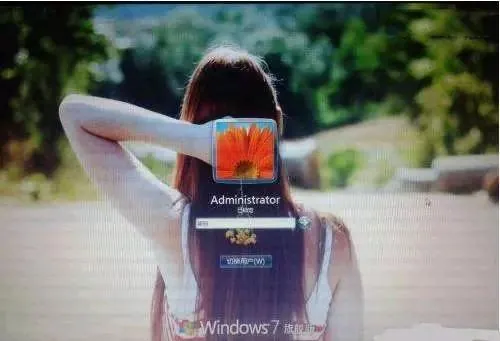
Win7一键更换登录背景脚本
需要
Windows 7 旗舰版或企业版
注册表
组策略编辑器
图片若干
注册表脚本
蓝奏云 访问密码: i0f5 下面提供一键包
源码
禁用自定义登录背景
1
2
3
| Windows Registry Editor Version 5.00
[HKEY_LOCAL_MACHINE\SOFTWARE\Microsoft\Windows\CurrentVersion\Authentication\LogonUI\Background]
"OEMBackground"=dword:00000000
|
启用自定义登录背景
1
2
3
| Windows Registry Editor Version 5.00
[HKEY_LOCAL_MACHINE\SOFTWARE\Microsoft\Windows\CurrentVersion\Authentication\LogonUI\Background]
"OEMBackground"=dword:00000001
|
如果选择了新的主题,刚才设置的注册表值就会被重置为0。因为选择一个新的主题,会重新加载这个主题的配置文件。而因为配置文件中的注册表键值可能会是0,所以你只能在选择新主题后再次运行.reg脚本。
替换登录壁纸文件
bat脚本更换登录壁纸源码
 1
 2
 3
 4
 5
 6
 7
 8
 9
10
11
12
13
14
15
16
17
18
| @echo off
set "source=%~dp0backgroundDefault.webp"
set "destination=C:\Windows\System32\oobe\info\backgrounds"
if not exist "%source%" (
echo "Error: %source% does not exist."
pause
exit /b
)
if not exist "%destination%" (
mkdir "%destination%"
)
xcopy /y /exclude:%~nx0 "%source%" "%destination%"
echo "平胖Kiki BLOG.XPDBK.COM!"
pause
|
bat脚本换回默认壁纸
 1
 2
 3
 4
 5
 6
 7
 8
 9
10
| @echo off
set folder="C:\Windows\System32\oobe\info"
if exist %folder% (
echo Deleting %folder%...
rmdir /s /q %folder%
echo Folder deleted.
) else (
echo %folder% does not exist.
)
pause
|
图片一键包(图片改后缀和不是很好的图片压缩器)
图片压缩
 1
 2
 3
 4
 5
 6
 7
 8
 9
10
11
12
13
14
15
16
17
18
19
20
21
22
23
24
25
26
| import os
from PIL import Image
def compress_image(input_path, output_path, max_size):
with Image.open(input_path) as img:
# 获取原图尺寸
width, height = img.size
# 计算压缩比例
ratio = (max_size * 1024) / os.path.getsize(input_path)
# 计算压缩后的尺寸
compressed_width = int(width * ratio)
compressed_height = int(height * ratio)
# 压缩图片并保存
img.thumbnail((compressed_width, compressed_height))
img.save(output_path)
# 定义目标目录和最大文件大小
target_dir = "pop"
max_file_size = 250 # 单位为 KB
for root, dirs, files in os.walk(target_dir):
for filename in files:
if filename.endswith(".webp") or filename.endswith(".webp") or filename.endswith(".webp"):
input_path = os.path.join(root, filename)
output_path = os.path.join(root, "compressed_" + filename)
compress_image(input_path, output_path, max_file_size)
|
图片后缀转换
 1
 2
 3
 4
 5
 6
 7
 8
 9
10
| import os
from PIL import Image
directory = "./pop"
for filename in os.listdir(directory):
if filename.endswith(".webp") or filename.endswith(".webp") or filename.endswith(".bmp"):
img_path = os.path.join(directory, filename)
with Image.open(img_path) as im:
im.convert('RGB').save(os.path.splitext(img_path)[0] + ".webp")
|
注意:
建立名为backgroundDefault的图片。必须JPG格式的背景图片,保存到脚本所在的文件夹下。但文件大小必须控制在250KB以内,否则修改后的登录界面的背景图片就无法正常显示!
做到这里,系统应该立即生效(不需要重启),可以锁定当前用户或注销来测试一下。锁定可以用徽标键加L键(WinKey+L)。
如果想恢复原始的登录背景,只需要运行一键换回默认壁纸.bat就可以了。在找不到自定义图片时,Win7会自动使用默认的登录背景。
下载一键包
蓝奏云 访问密码:b6uq
压缩密码:TuPiangg114514
完整性SHA-1校验码:fa60a42cb4754fecfc2a5a0760796229dc34512e
有英文版