Preface
I was using x64dbg to study a program and suddenly thought of what would happen if I changed the string. This program is a Minecraft GC that I found on the Internet and put it in the following link for use
Lanzoue Cloud Access password:
gy99Compression password:
GgGg313df
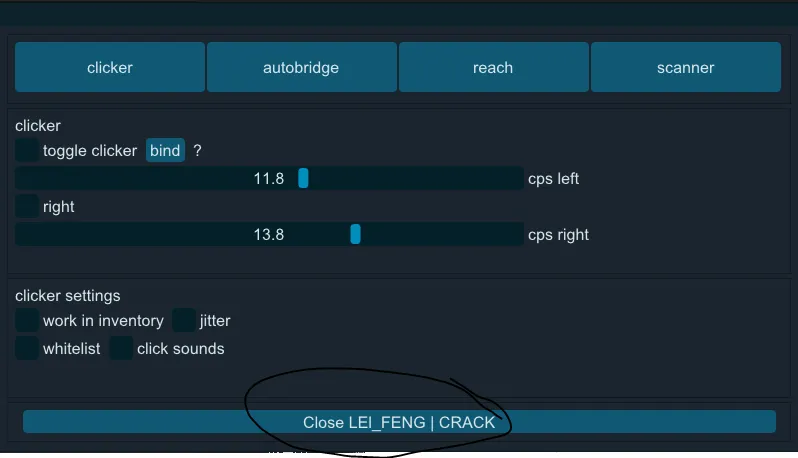
Start
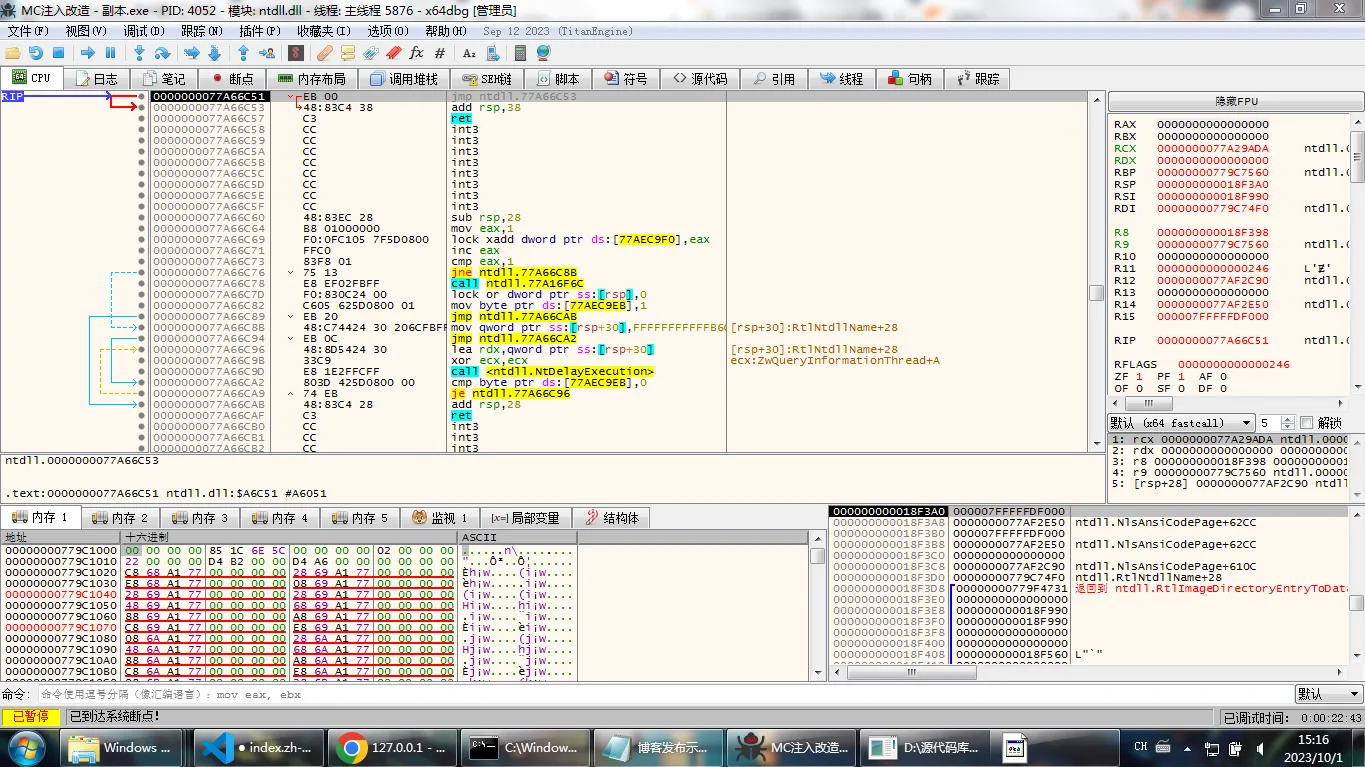
Open our x64dbg This software is a reverse software that can be downloaded on github. After opening the software and opening our sample program
Then right click and there will be a tab
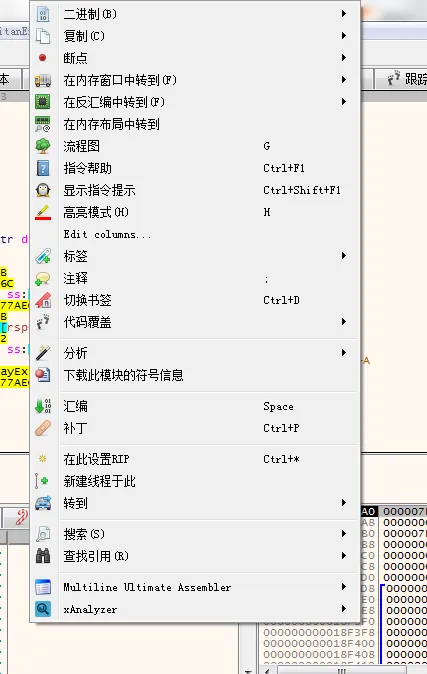
Then we scan Search and then scan All modules and then click String
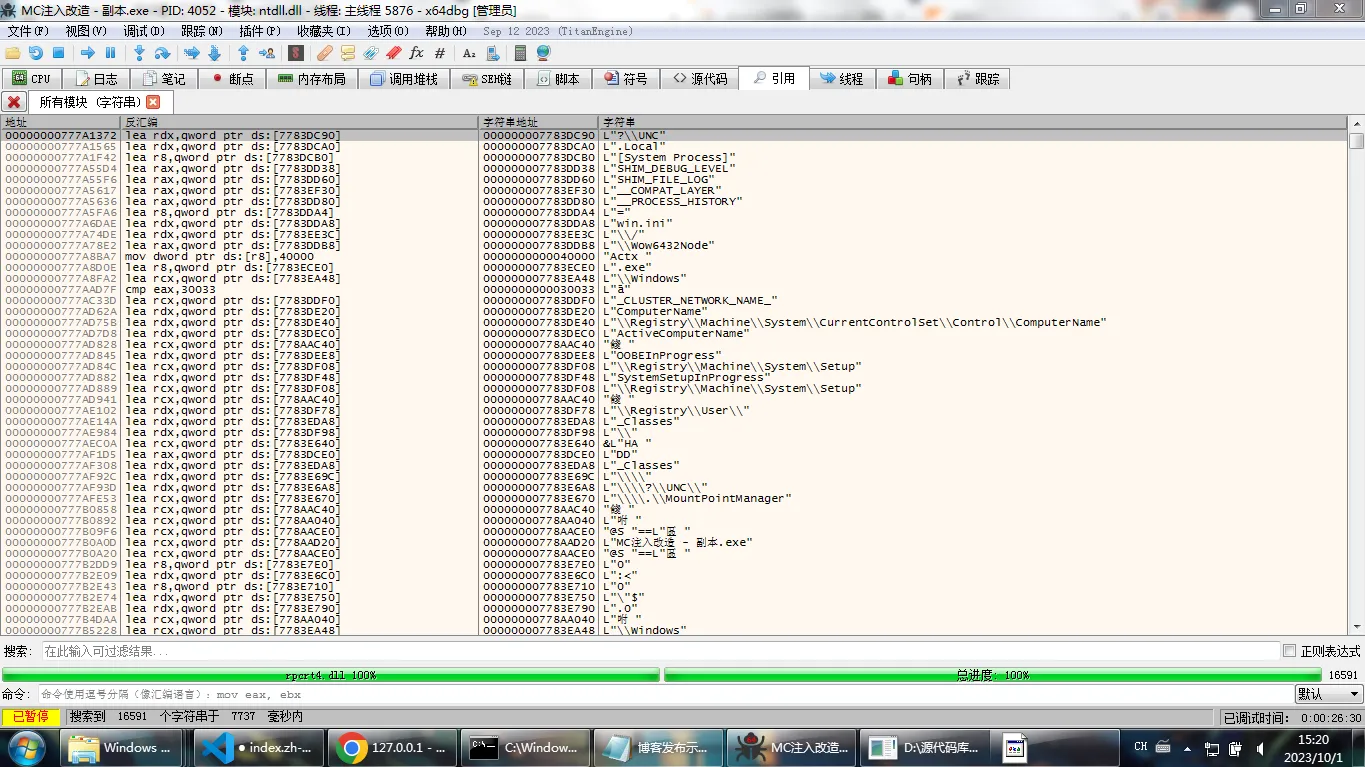
After the analysis, we directly enter the characters and click the unique string
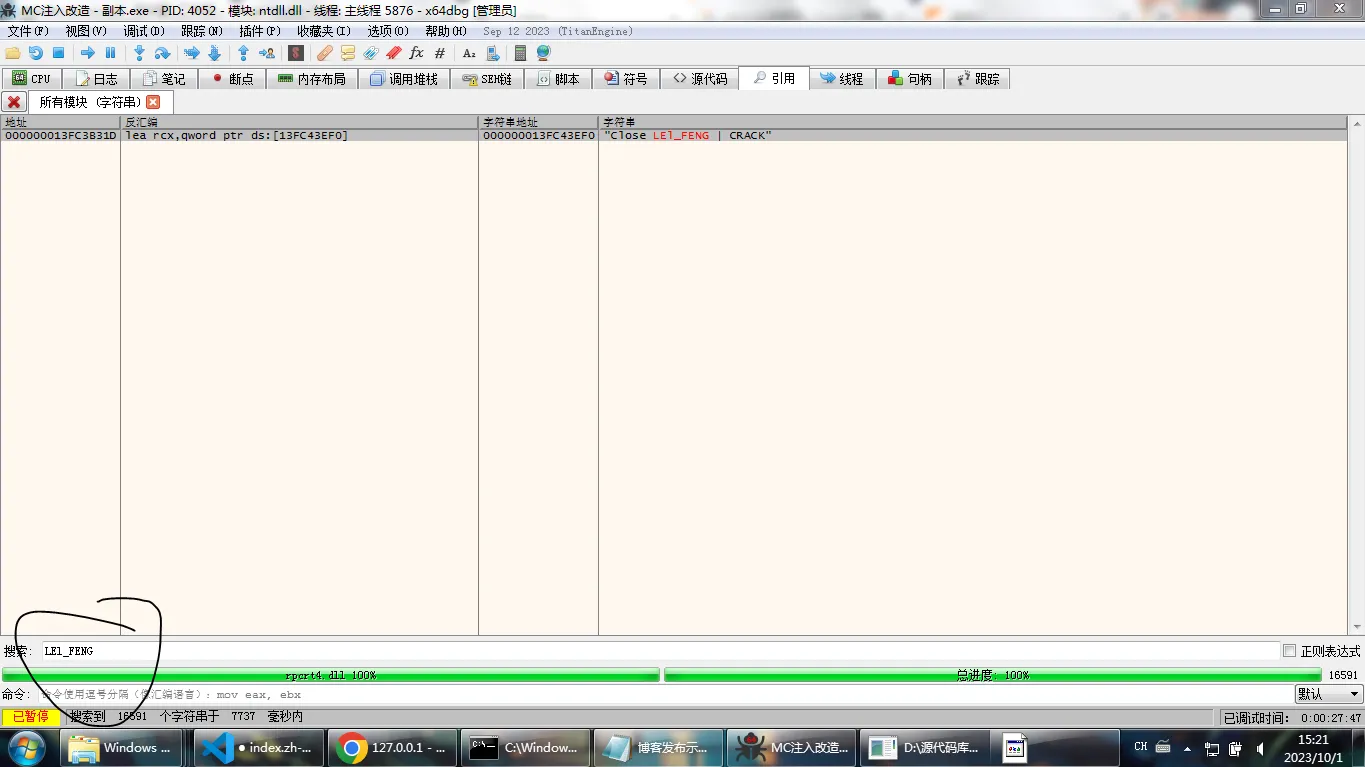
Then modify the string according to hexadecimal
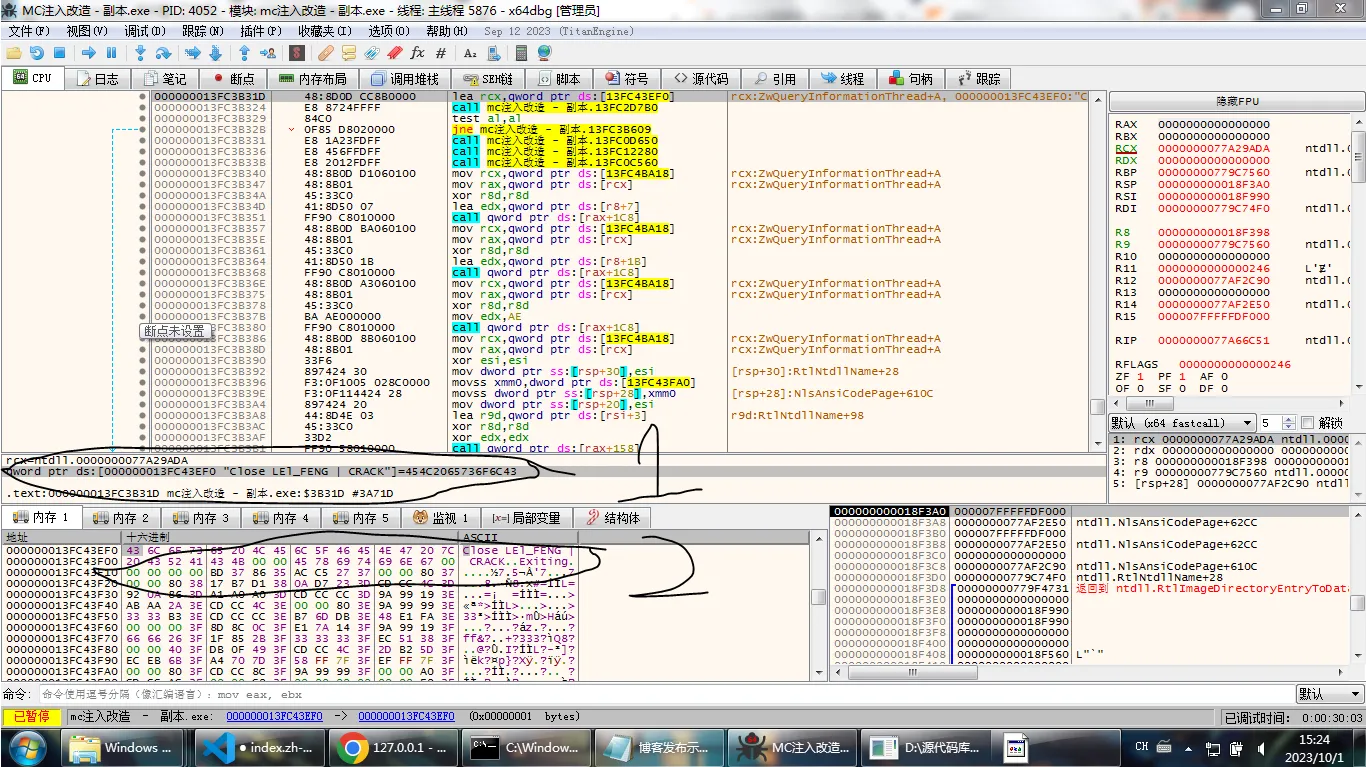
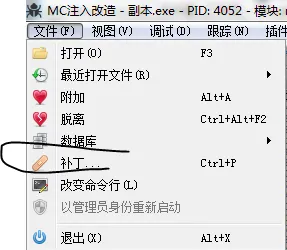
After the modification, right-click the file in the upper left corner and click Patch
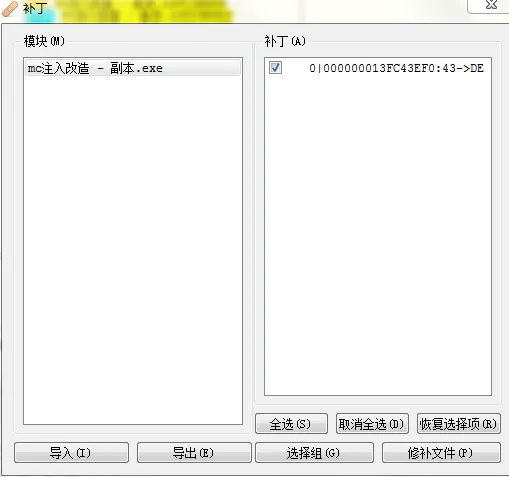
After applying the patch, the file modification is complete
