
When using Chrome , we sometimes need to download large files. Due to Chrome’s default single-thread limitation, it cannot fully utilize bandwidth for downloads. In this article, I will show you how to enable multi-threaded download settings in Chrome.
Prerequisites
- Chrome Browser
Steps
- Open Chrome browser and go to
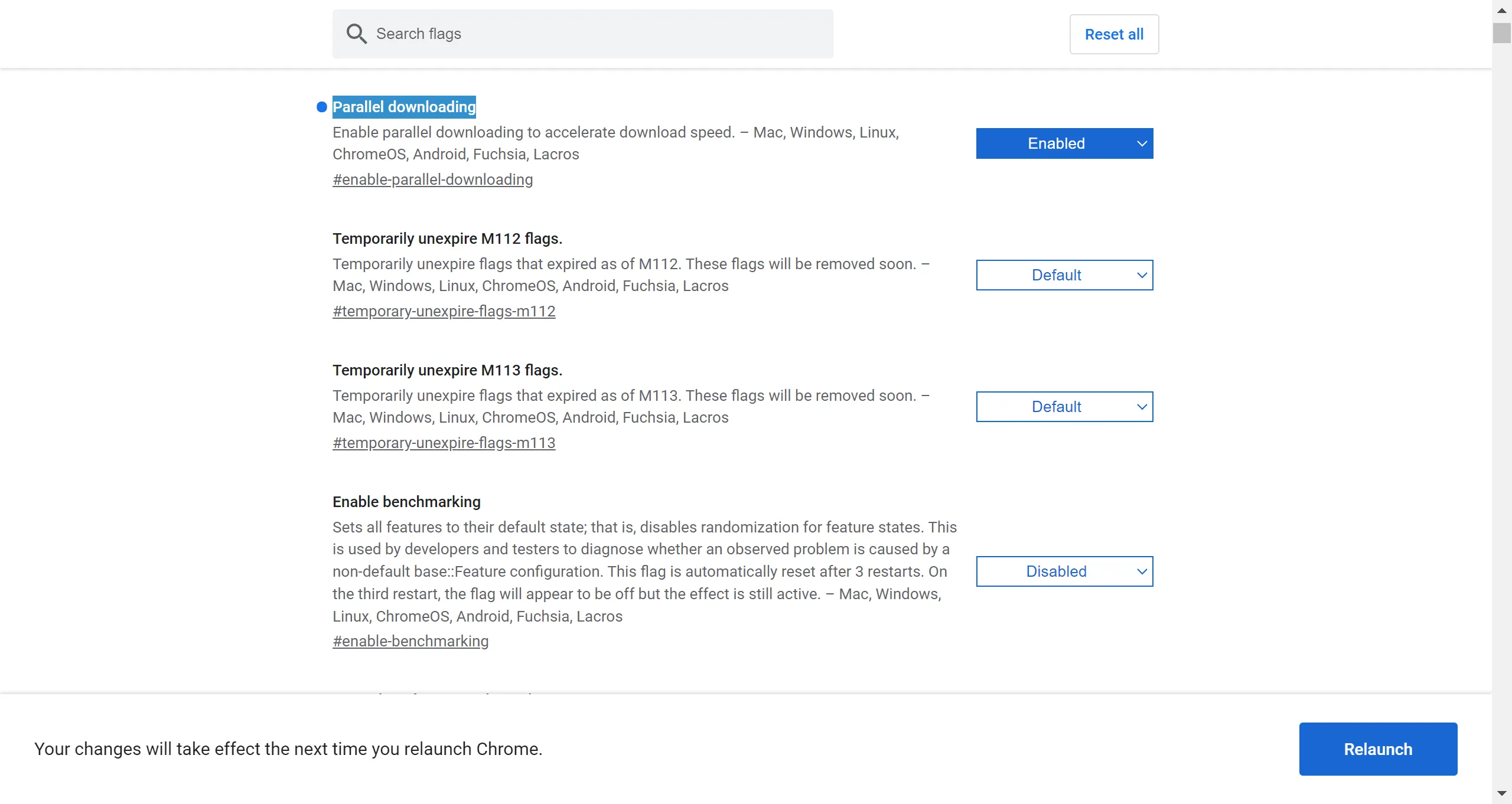
chrome://flags/#enable-parallel-downloading. SetParallel downloadingtoEnabled. Then click theRelaunchbutton.
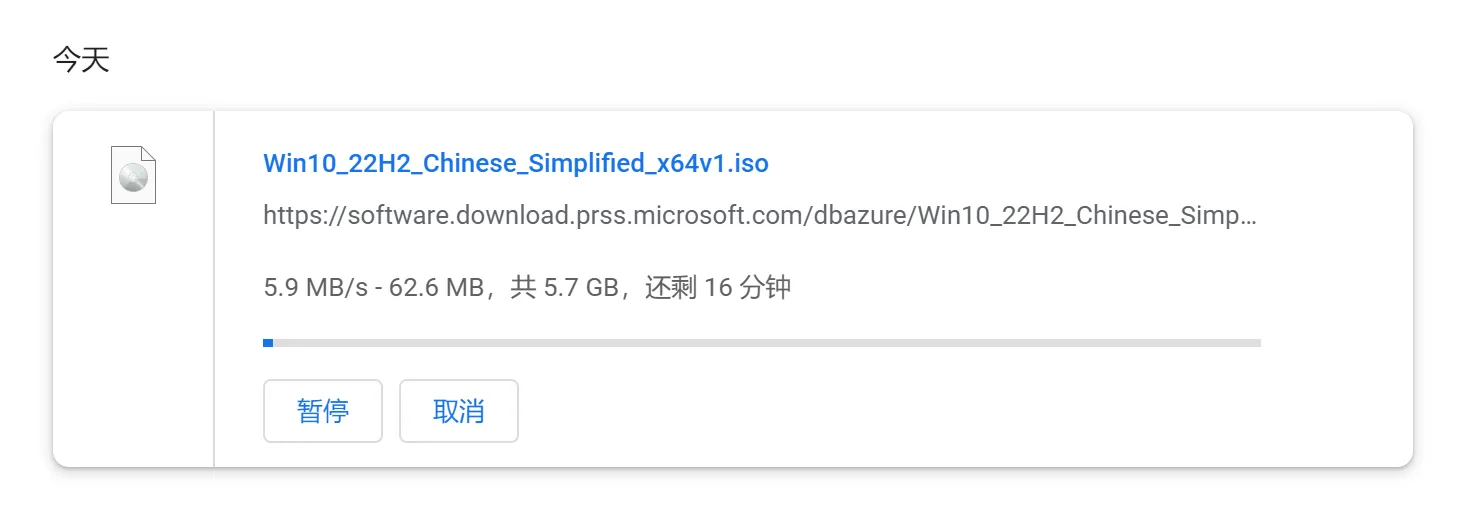
- You can see the download speed has increased from the original 100+ KB/s to around 5-6 MB/s.
Conclusion
This method allows you to achieve high-speed downloads without using IDM (Internet Download Manager).